CupertinoTextfield
Examples#
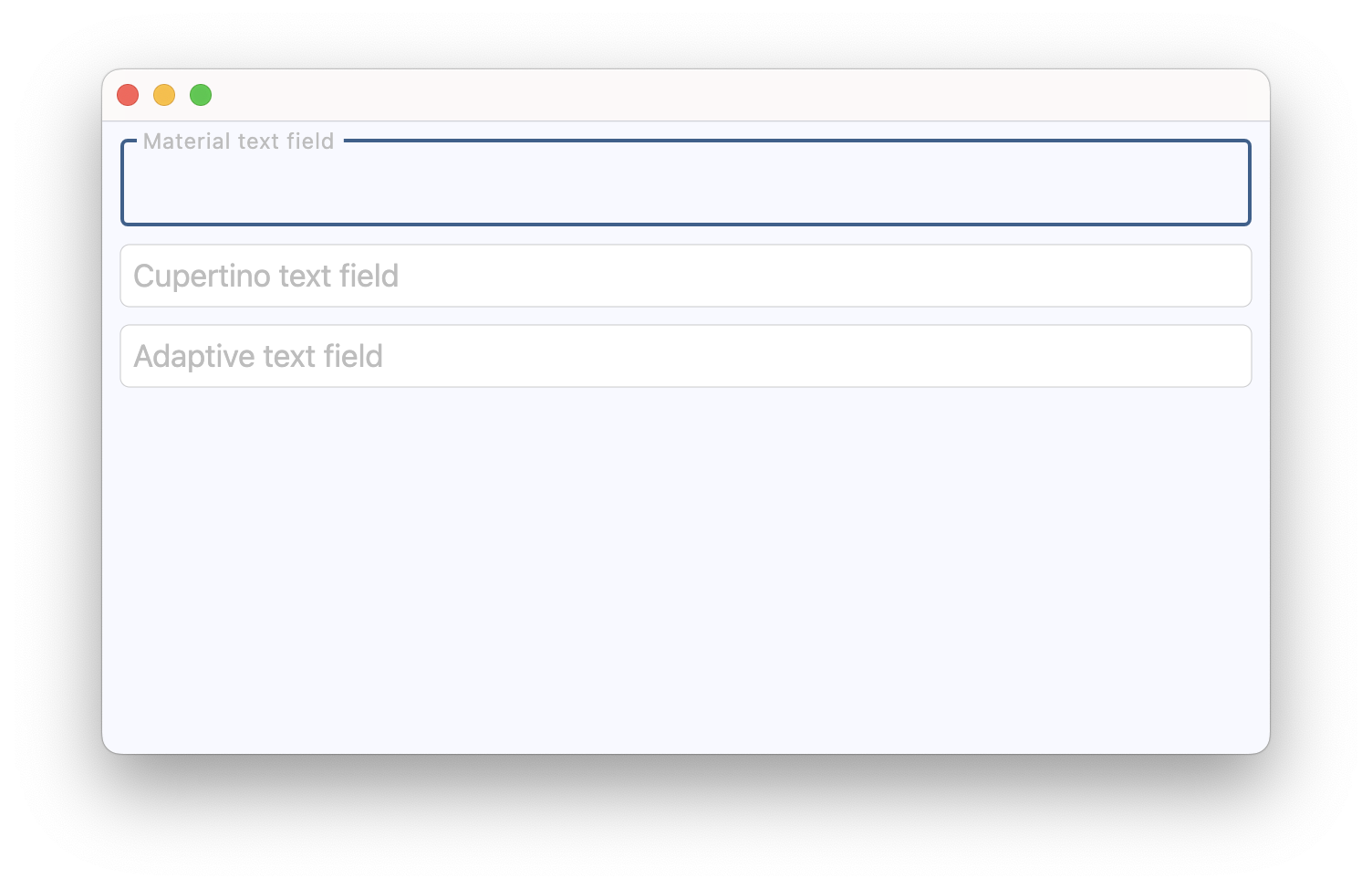
Basic Example#
import flet as ft


def main(page: ft.Page):
    page.add(
        ft.TextField(
            label="Material text field",
            label_style=ft.TextStyle(color=ft.Colors.GREY_400),
        ),
        ft.CupertinoTextField(
            placeholder_text="Cupertino text field",
            placeholder_style=ft.TextStyle(color=ft.Colors.GREY_400),
        ),
        ft.TextField(
            adaptive=True,
            label="Adaptive text field",
            label_style=ft.TextStyle(color=ft.Colors.GREY_400),
        ),
    )


ft.run(main)
Bases: TextField
An iOS-style text field.
blend_mode: BlendMode | None = None
The blend mode applied to the [bgcolor][flet.controls.cupertino.cupertino_textfield.CupertinoTextField.bgcolor] or gradient background.
clear_button_semantics_label: str | None = 'Clear'
The semantic label for the clear button used by screen readers.
This will be used by screen reading software to identify the clear button widget.
clear_button_visibility_mode: OverlayVisibilityMode = NEVER
Defines the visibility of the clear button based on the state of text entry.
Will appear only if no [suffix][flet.controls.cupertino.cupertino_textfield.CupertinoTextField.suffix] is provided.
image: DecorationImage | None = None
An image to paint above the [bgcolor][flet.controls.cupertino.cupertino_textfield.CupertinoTextField.bgcolor] or gradient background.
padding: PaddingValue = field(
    default_factory=lambda: all(7)
)
The padding around the text entry area between the [prefix][flet.controls.cupertino.cupertino_textfield.CupertinoTextField.prefix]
and [suffix][flet.controls.cupertino.cupertino_textfield.CupertinoTextField.suffix] or the clear button when clear_button_visibility_mode
is not OverlayVisibilityMode.NEVER.
placeholder_style: TextStyle | None = None
The TextStyle to use for placeholder_text.
placeholder_text: str | None = None
A lighter colored placeholder hint that appears on the first line of the text field when the text entry is empty.
Defaults to an empty string.
prefix_visibility_mode: OverlayVisibilityMode = ALWAYS
Defines the visibility of the [prefix][flet.controls.cupertino.cupertino_textfield.CupertinoTextField.prefix] control
based on the state of text entry.
Note
Has no effect if [prefix][flet.controls.cupertino.cupertino_textfield.CupertinoTextField.prefix] is not specified.
suffix_visibility_mode: OverlayVisibilityMode = ALWAYS
Defines the visibility of the [suffix][flet.controls.cupertino.cupertino_textfield.CupertinoTextField.suffix] control
based on the state of text entry.
Note
Has no effect if [suffix][flet.controls.cupertino.cupertino_textfield.CupertinoTextField.suffix] is not specified.